Qinertia GNSS+INS Post-Processing Software (PPK)
Precision Made Simple
Qinertia PPK software delivers an all-new level of high-precision positioning solutions, enabling robust georeferencing through advanced post-processing corrections. In a world that demands accuracy without compromise, our PPK software is emerging as the cornerstone for professionals and industries seeking unparalleled confidence in their location data.
Post-processing software that really works
Achieve unparalleled accuracy in your workflows by post-processing your raw location data through advanced corrections process. Qinertia is crucial in applications requiring centimeter-level accuracy such as geospatial surveying, mapping, and hydrography.


GNSS capabilities
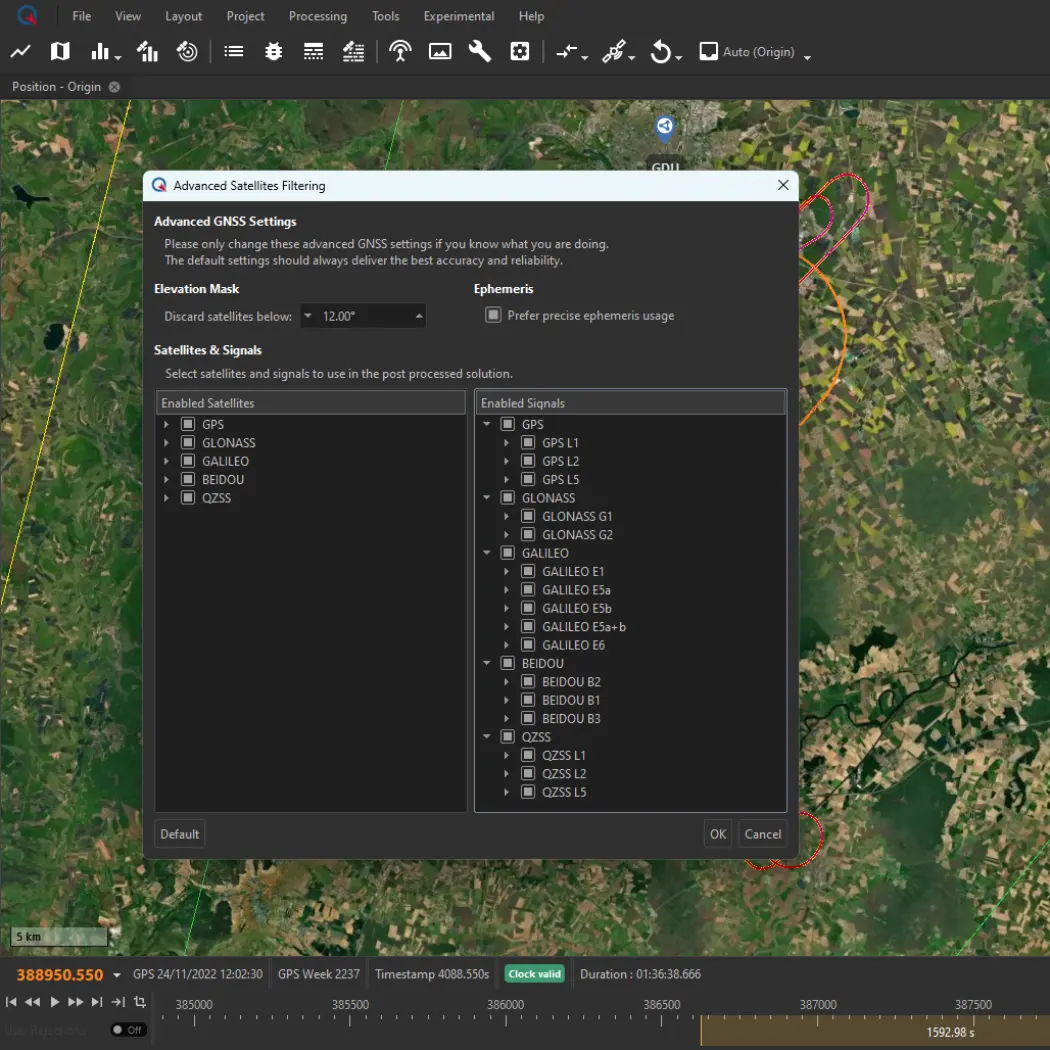
Qinertia supports full multi-constellation, multi-frequency GNSS processing, ensuring optimal accuracy, robustness, and performance in all environments.
Supported Constellations and Frequencies:
▶ GPS : L1, L2, L5
▶ Galileo : E1, E5a, E5b, E5(a+b), E6
▶ BeiDou : B1I, B2I, B3I
▶ Glonass : G1, G2
▶ QZSS : L1, L2, L5
Multi-frequency support improves ambiguity resolution, convergence time, and positioning accuracy. It also improves resilience in challenging environments, such as urban canyons, dense forests, or areas with high ionospheric activity.
Processing modes
Qinertia offers a comprehensive range of processing modes to adapt to any operational constraint:
▶ PPK with single base
▶ PPK with single base (Ionoshield mode)
▶ PPK with VBS (Virtuel base station)
▶ Near real time PPK with RTCM corrections
▶ Tightly coupled PPP (Precise Point Positioning) anywhere in the world.
Functionalities
Orbi AR – PPP with fixed ambiguity
Orbi AR in Qinertia enables Precise Point Positioning (PPP) with fixed ambiguities, delivering high-accuracy results without the need for a local base station. This innovative approach is ideal for operations in remote or challenging environments where CORS networks are unavailable or deploying a personal base station is impractical.
Geodesy engine
The Geodesy Engine in Qinertia boasts an exhaustive suite of tools that are not only incredibly user-friendly but also highly versatile.
With an extensive selection of preconfigured Coordinate Reference Systems (CRS), Qinertia let you harness the essential official systems and transformations for your projects. You can also craft custom transformations tailored to your specific or scientific requirements.
Multi-sensors aiding
Sensor aiding in Qinertia elevates post-processed kinematic performance by intelligently integrating external motion and velocity sensors into the PPK workflow. In addition to high-precision GNSS aiding, Qinertia supports DVL, odometer, magnetometer, general velocity, and air data inputs, allowing you to reinforce positioning accuracy and trajectory continuity, even in challenging environments where GNSS alone is not sufficient.
By combining these aiding sources during post-processing, Qinertia enables smoother trajectories, reduced drift, and more reliable navigation results across land, marine, and airborne applications.
PPK with live RTCM
You can now achieve unparalleled accuracy in your PPK workflows by processing your data with RTCM corrections that are used in real-time operations. It’s important to note that this feature is specifically designed for real-time single-base scenarios and is incompatible with VBS setups.
RTCM Stream in Qinertia redefines precision and provides more options for your PPK.
RTS Smoothing
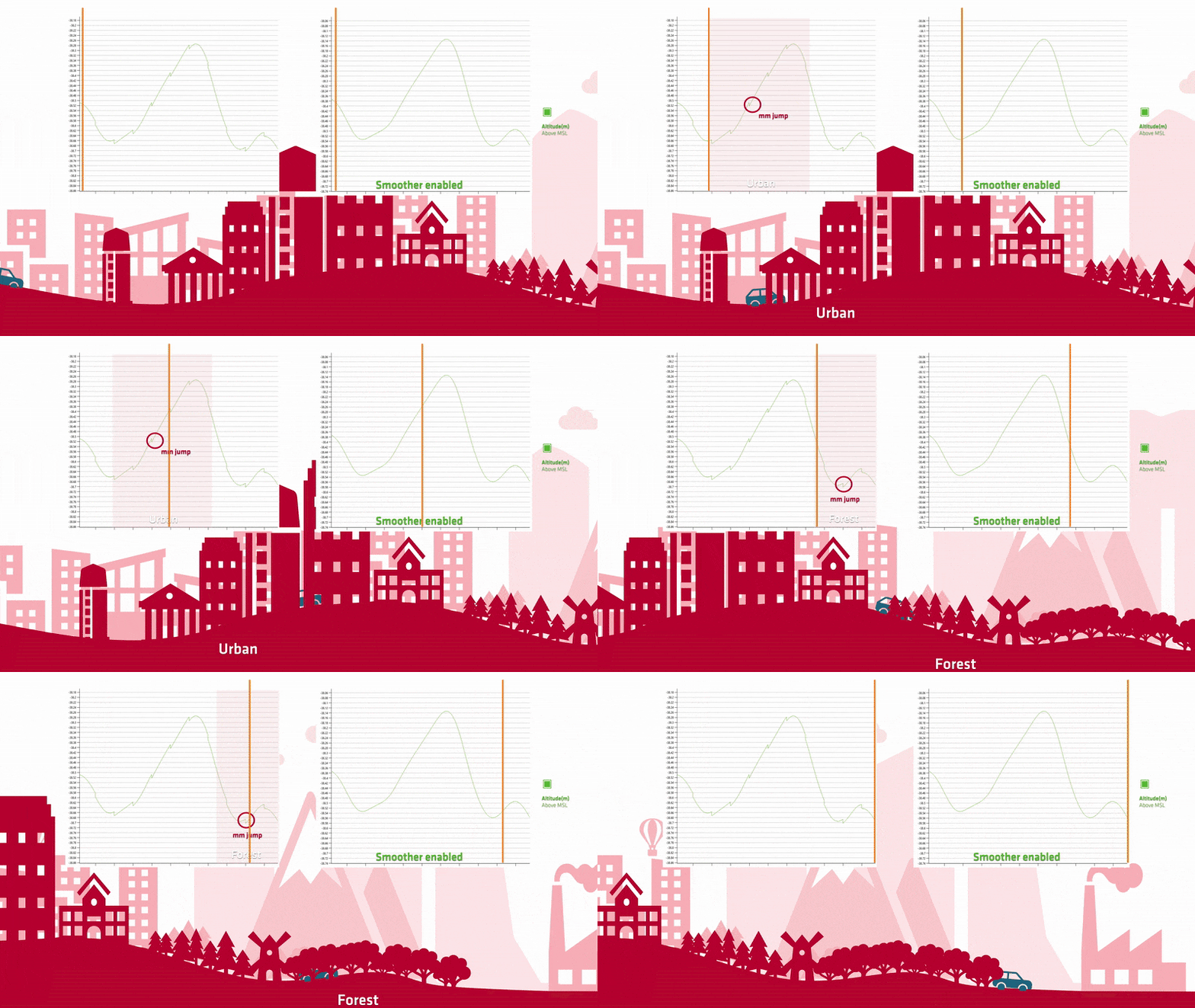
An advanced processing option designed to refine your INS trajectory after the sensor fusion step. By applying the smoother, Qinertia removes all sharp transitions and sudden jumps, ensuring your final trajectory outputs are not only more accurate but also significantly smoother and more continuous.


Base stations coverage
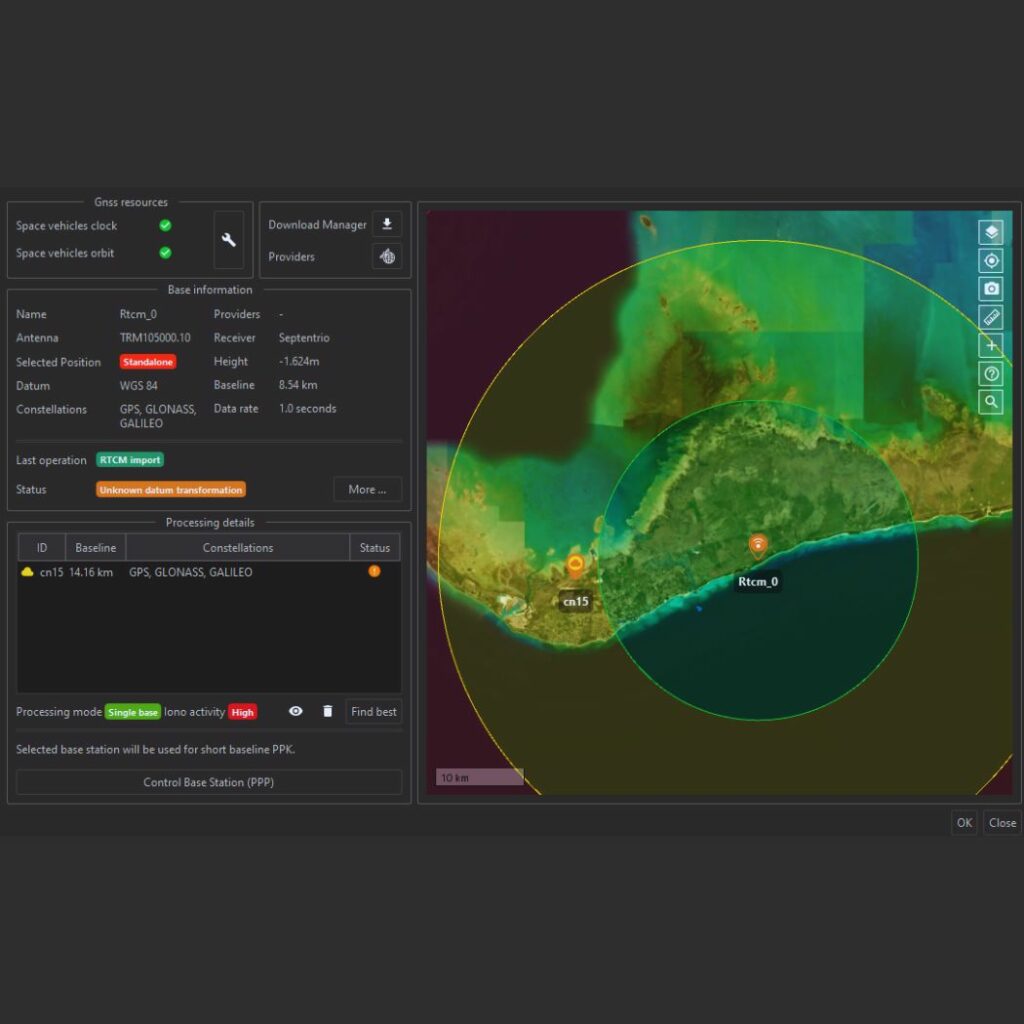
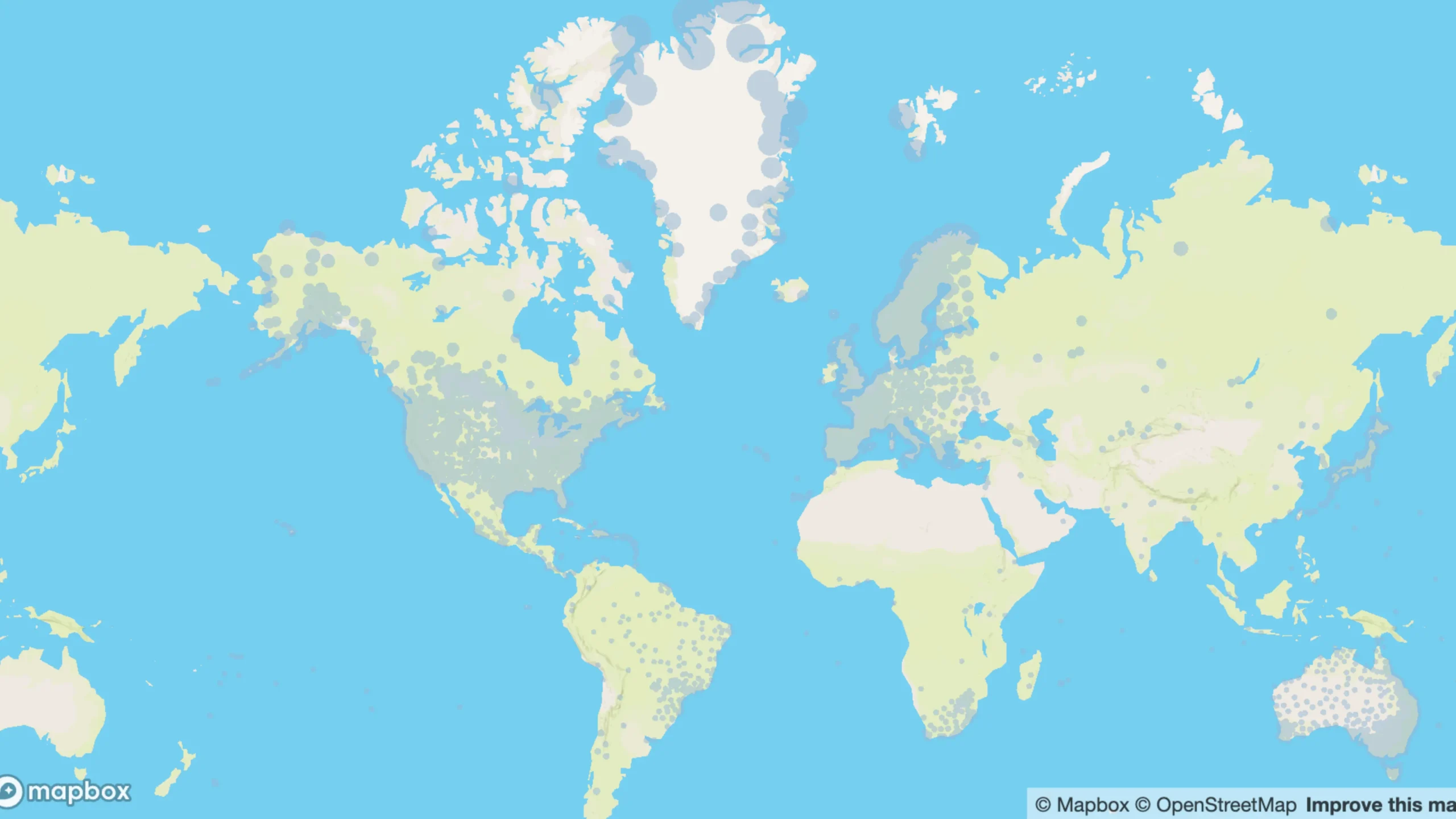
Qinertia rely on a network of more than 10.000 base stations in 164 countries to improve GNSS accuracy. Explore the stations on MySBG website.
More fonctionnalities
Experience a transformative approach to GNSS data processing with Qinertia PPK Software by SBG Systems—its powerful functionalities are specifically crafted to elevate your operations to new heights!
Advanced direct georeferencing
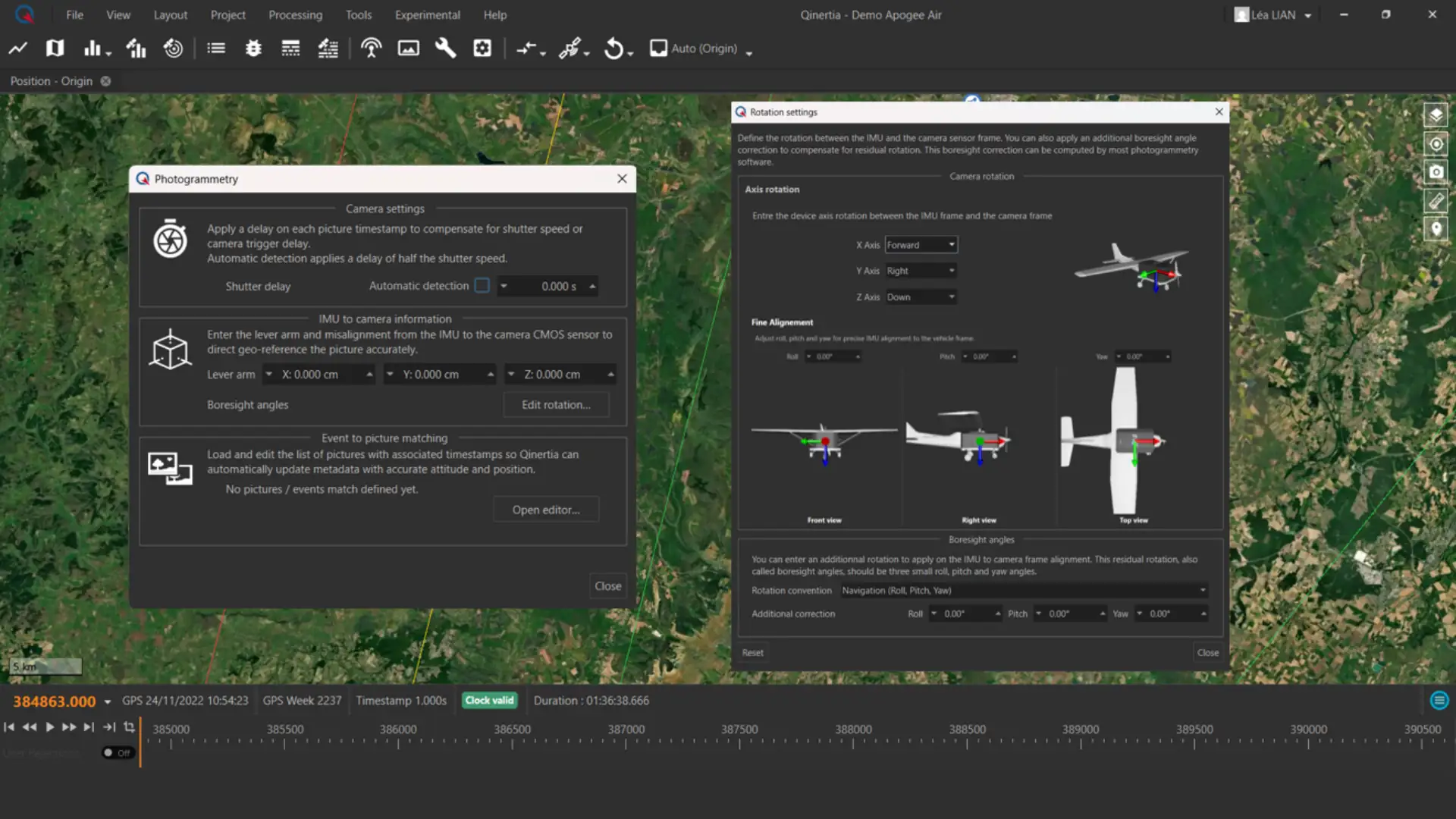
Qinertia supports precise Direct Georeferencing & Image Geotagging of imagery by tightly coupling GNSS and IMU post-processing. Using accurate timing and sensor alignment data, the Photogrammetry module matches image triggers to PPK trajectories and updates image metadata with centimeter-level positioning and full orientation (roll, pitch, yaw). Built-in support for lever arm and boresight alignment parameters ensures highly accurate pose data for use in 3D reconstruction workflows with software such as Pix4D, Metashape, and UAS Master.

Tightly coupled PPP
This mode delivers centimeter-level accuracy worldwide without requiring any local base station. By tightly integrating raw GNSS measurements with precise satellite products, it provides reliable high-precision positioning even in remote areas where no reference stations are available. Ideal for global surveys and challenging environments.
Base station management
Qinertia provides users direct access to a network of up to 10,000 base stations across 164 countries, ensuring precise post-processing capabilities. When importing a custom base station, the PPP base station control feature actively verifies its coordinates using precise point positioning techniques, enhancing accuracy and reliability.

Advanced GNSS display & settings
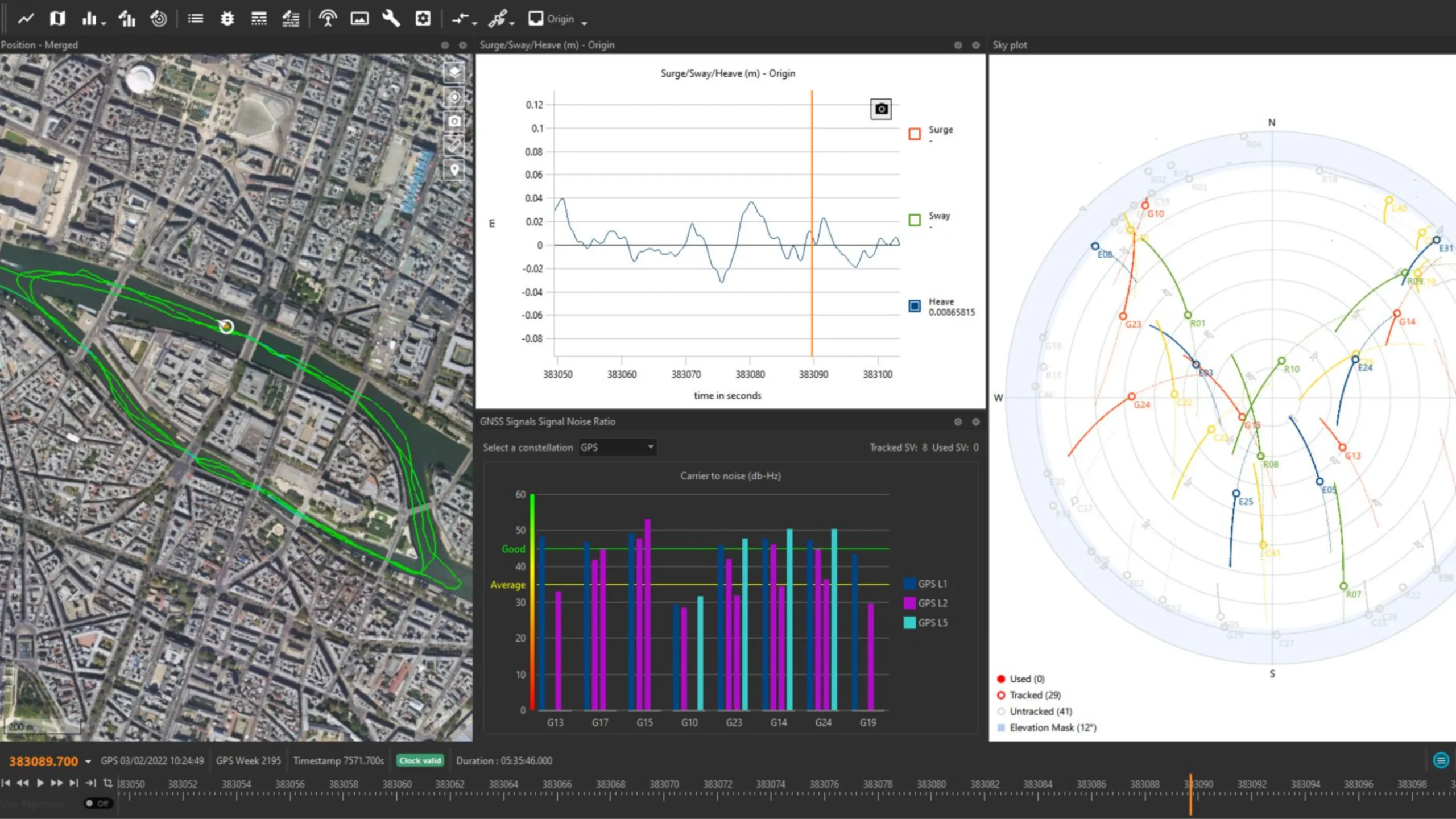
Qinertia automatically enhances your PPK accuracy by intelligently excluding satellites with poor signal quality, ensuring that only the highest-quality data is utilized in your computations. What’s more, users now have the flexibility to take matters into their own hands by manually disabling individual satellites, entire signal bands, or even entire constellations within their PPK solutions. To support these advanced capabilities, we’ve introduced a range of informative graphs that allow you to easily assess GNSS signal quality. Empower yourself with total control and confidence in your GNSS data with the Advanced GNSS Setting & Display in Qinertia.
Lever arm estimation
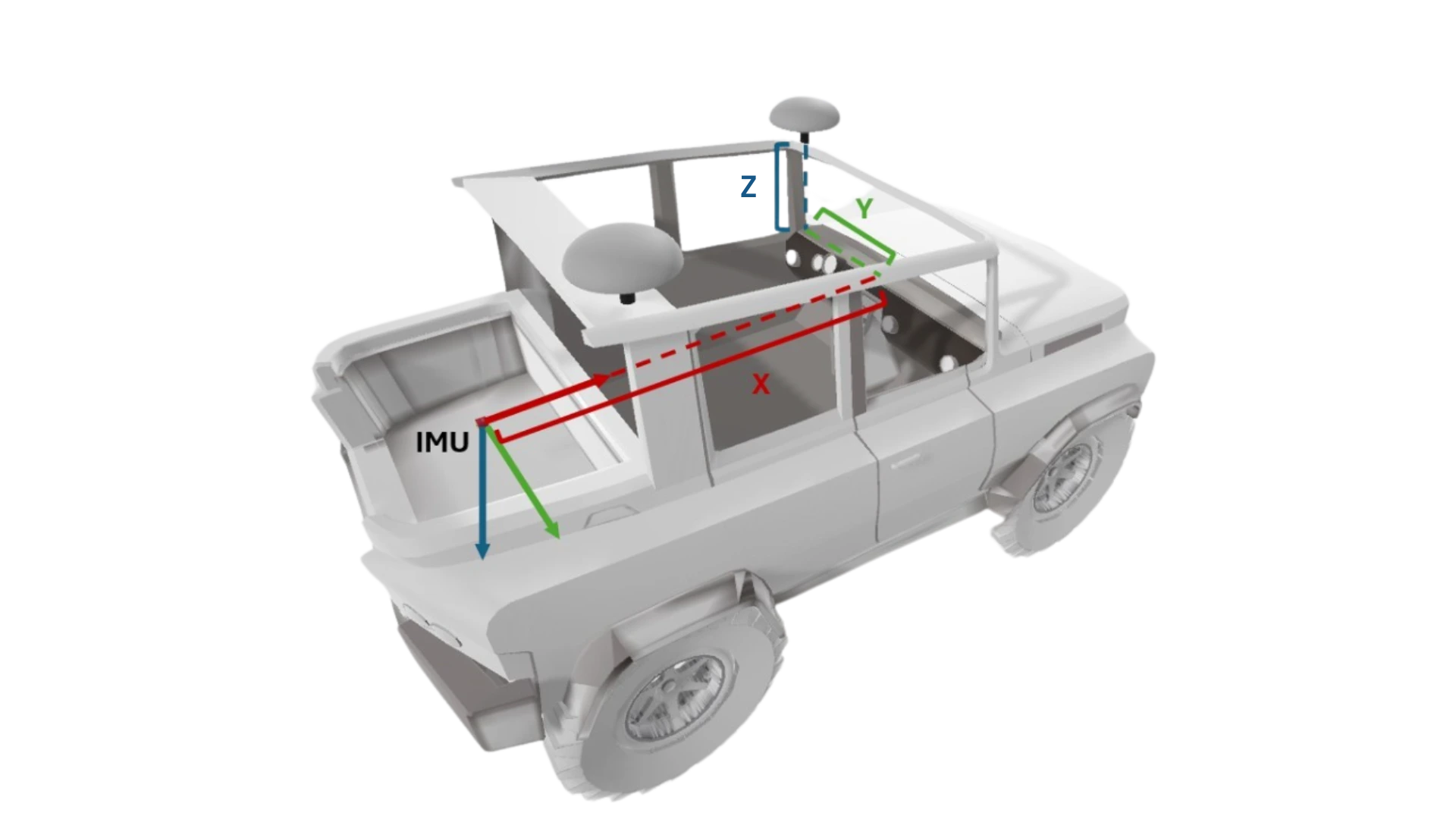
Qinertia provides advanced lever arm estimation tools to precisely determine the physical offsets between GNSS antennas and IMUs. By entering an approximate manually measured lever arm, Qinertia can automatically refine it to centimeter-level accuracy, ensuring optimal sensor alignment. Learn more about lever arm estimation option – Access now !

Flexible layout and workspace system
Improve the way you interact with your data and tools. Qinertia provides application-specific recommended layouts, allowing you to focus on analysis instead of interface setup.
You can also create fully custom layouts tailored to your needs and share them with your team, ensuring a consistent and efficient working environment. This flexible workspace approach helps teams collaborate more effectively, work faster, and maintain productivity across projects and applications.
3D views
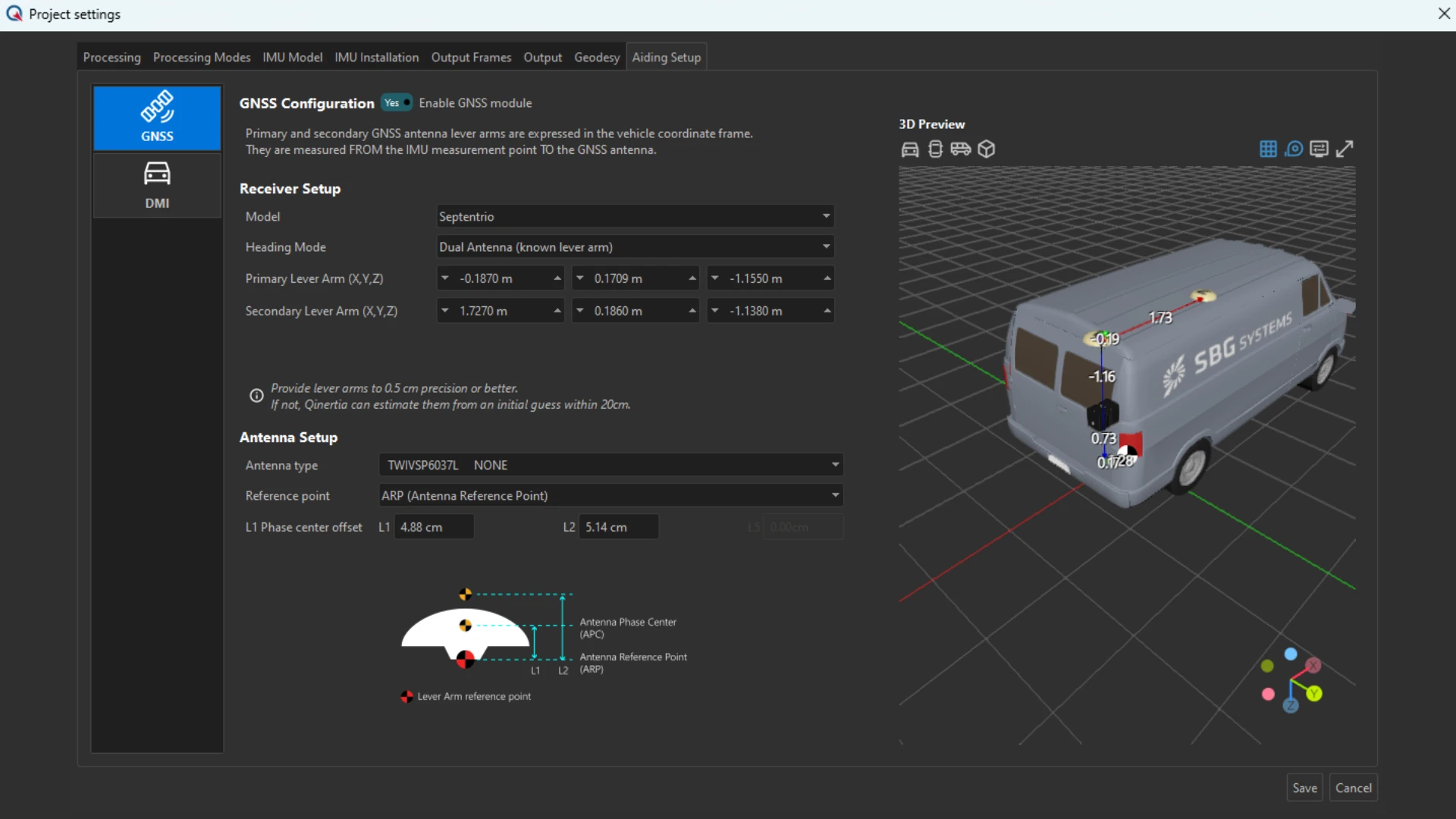
3D views allow you to visualize your installation and configuration in a clear, intuitive 3D environment. Sensor positions, orientations, and platform geometry are displayed accurately, helping you validate your setup before processing.
This visual insight ensures correct sensor placement, reduces configuration errors, and improves overall project reliability, giving you greater confidence in both data acquisition and post-processing results.

Customizable trajectory binary export
The Customizable Trajectory Binary export in Qinertia introduces a lighter, faster, and more flexible way to handle PPK results. Designed for performance and interoperability, it significantly reduces file size while preserving full trajectory integrity.
With faster loading times and optimized data exchange, this export format enables smoother machine-to-machine workflows, seamless integration into downstream processing pipelines, and more efficient handling of large projects.
PPK made easy for accurate results
Our PPK post-processing software offers a seamless experience for all users with its intuitive interface and guided workflows. Quick project setup, drag-and-drop data input, and automatic “find-best” base station selection simplifies tasks, while advanced options cater to experts. Regular updates based on feedback ensure continuous improvement and user-centric functionality.

PPK processing modes
Qinertia PPK processing modes include: a single base station short baseline for localized accuracy, a single base station Ionoshield mode to mitigate ionospheric interference for better results, a virtual base station for expert corridor mapping, and rely on a tightly coupled PPP for consistent positioning no matter where your journey takes you.
User focused software
Qinertia features a modern, user-friendly interface designed for quick setup and efficient operation. Its advanced toolset supports precise post-processing capabilities, robust error modeling, and seamless data integration.
Regular updates, driven by user feedback, continuously enhance functionality, ensuring optimal performance and compatibility with evolving industry needs.
Easy workflow integration
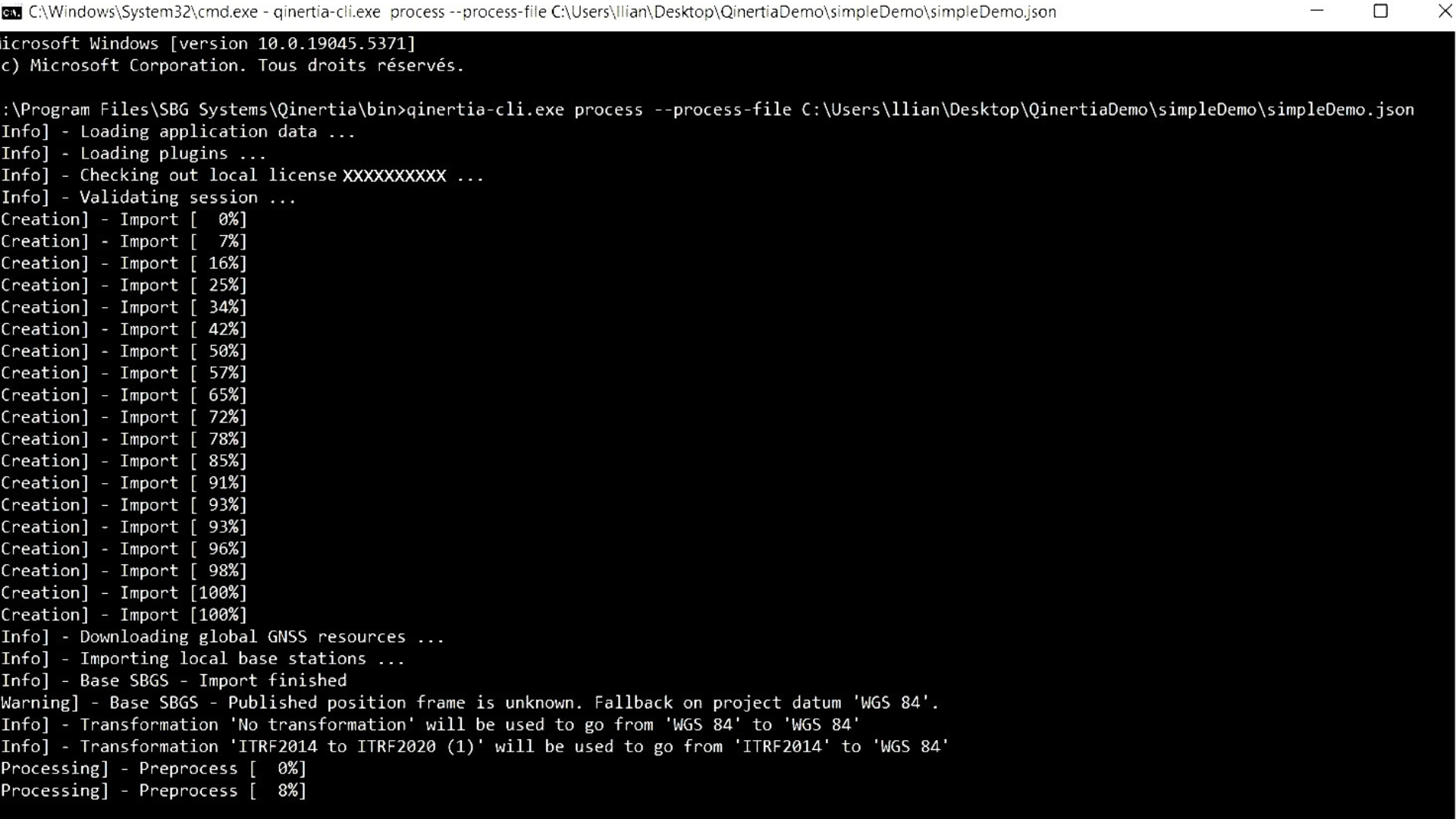
Software developers can seamlessly integrate Qinertia’s powerful PPK capabilities into their applications using Qinertia Cloud APIs or the Qinertia CLI. The intuitive interface simplifies interaction, the command-line interface (CLI) streamlines recurrent data processing. Developers can customize output formats and generate detailed reports, ensuring smooth integration with existing workflows.
Our different editions
Choose the perfect edition of Qinertia PPK software to match your project needs. Whether you’re working on a large-scale infrastructure survey, high-precision mapping, or any project requiring accurate GNSS post-processing, Qinertia offers flexible options.
Each edition provides you with powerful features to process your raw GNSS data and achieve centimeter-level accuracy in just a few clicks.
| Type of processing | Type of processing GNSS Only | Type of processing Inertial + GNSS | Type of processing Inertial + GNSS | Type of processing Inertial + GNSS |
|---|---|---|---|---|
| SBG IMU's supported | SBG IMU's supported – | SBG IMU's supported Ellipse Only | SBG IMU's supported Ellipse & Quanta Series (Quanta Micro/Plus/Extra) | SBG IMU's supported All SBG & Third-Party IMUs |
| Third party IMU | Third party IMU – | Third party IMU – | Third party IMU – | Third party IMU ● |
| Applications | Applications All | Applications Land & Air | Applications Air | Applications All |
| License | License Perpetual or Subscription | License Perpetual or Subscription | License Perpetual or Subscription | License Perpetual or Subscription |
| Concurrent processing | Concurrent processing 1 | Concurrent processing 1 | Concurrent processing 1 | Concurrent processing 1 |
| Offline processing | Offline processing ● | Offline processing ● | Offline processing ● | Offline processing ● |
| Server processing | Server processing – | Server processing – | Server processing – | Server processing – |
| Interface | Interface GUI + CLI | Interface GUI + CLI | Interface GUI + CLI | Interface GUI + CLI |
| Motion profile | Motion profile Static (GNSS), Air (UAV, Airplane, Helicopter), Land (Automotive, truck, railway), Marine (Marine, Marine harsh survey and Marine underwater), Pedestrian | Motion profile Static (GNSS), Air (UAV, Airplane, Helicopter), Land (Automotive, truck, railway), Pedestrian | Motion profile Static (GNSS), Air (UAV, Airplane, Helicopter) | Motion profile Static (GNSS), Air (UAV, Airplane, Helicopter), Land (Automotive, truck, railway), Marine (Marine, Marine harsh survey and Marine underwater), Pedestrian |
| Tightly coupling RTK&VBS&PPP | Tightly coupling RTK&VBS&PPP – | Tightly coupling RTK&VBS&PPP ● | Tightly coupling RTK&VBS&PPP ● | Tightly coupling RTK&VBS&PPP ● |
| Reprocessing | Reprocessing – | Reprocessing ● | Reprocessing ● | Reprocessing ● |
| Loosely coupling | Loosely coupling – | Loosely coupling ● | Loosely coupling ● | Loosely coupling ● |
| GNSS RTK&VBS&PPP | GNSS RTK&VBS&PPP ● | GNSS RTK&VBS&PPP ● | GNSS RTK&VBS&PPP ● | GNSS RTK&VBS&PPP ● |
| Base station management | Base station management ● | Base station management ● | Base station management ● | Base station management ● |
| Geodesy engine | Geodesy engine ● | Geodesy engine ● | Geodesy engine ● | Geodesy engine ● |
| IonoShield | IonoShield ● | IonoShield ● | IonoShield ● | IonoShield ● |
| CORS network | CORS network ● | CORS network ● | CORS network ● | CORS network ● |
| Report | Report ● | Report ● | Report ● | Report ● |
| Rinex diagnostic | Rinex diagnostic ● | Rinex diagnostic ● | Rinex diagnostic ● | Rinex diagnostic ● |
| Lever arm estimation | Lever arm estimation – | Lever arm estimation ● | Lever arm estimation ● | Lever arm estimation ● |
| Statistics | Statistics ● | Statistics ● | Statistics ● | Statistics ● |


Build your own solution
Qinertia is the next-generation INS/GNSS post-processing software built for all users, whether you are an individual user, an enterprise user, a system integrator, a software editor or a service provider.
Pre-configured application motion profiles simplify setup and optimize performance for your specific needs.
Choose between all available solutions and make it your own : desktop, OEM and cloud.

Straightforward deployments
Qinertia Desktop is a desktop application designed to effectively handle complex data sets by providing advanced analyze tools and customizable settings.
With its user-friendly interface, it allows you to quickly import, process and analyze your data.
Ideal for individual user or teams working in office.

Seamlessly Integrate with Your Hardware or Software
Qinertia OEM offers a smooth integration process, allowing you to embed powerful PPK processing into your solutions, offering your customers reliable and efficient high-precision positioning with ease, whether you’re a hardware manufacturer, a system integrator, or a service provider.
You can customize the software interface, workflows, and features to match your brand and user requirement.

Enable Flexible, Scalable & Remote Management.
Qinertia Cloud is designed for developers, integrators, and businesses looking for a scalable PPK solution which delivers the full potential of precise post-processing with the convenience and flexibility of cloud-based technology.
Whether you’re building a custom application, offering online services, or expanding your existing capabilities, Qinertia Cloud API ensures that you can deliver top-tier PPK performance to your users.
Compatible with numerous third party receivers
Qinertia is compatible with third party receivers that can provide raw GNSS data*, including: Septentrio, Trimble, Novatel, Ublox, Topcon, Javad, Ashtec, Spectra GNSS receivers…
Get access to all Qinertia features: Parsing of the file formats of the GNSS receiver, GNSS PPK, optionally with inertial coupling, GNSS PPP, optionally with inertial coupling, All display of graphs and analytics, PPK performed using all constellations band available and much more…
*supported GNSS receivers: dual band and above (L1, L1+L2, L1+L5, L1+L2+L5).






Documentation and resources
All Qinertia Solutions come with comprehensive documentation, designed to support users at every step.
From installation guides to advanced configuration and troubleshooting, our clear and detailed manuals ensure smooth integration and operation.
Guided tour of Qinertia
Embark on a detailed tour of our post-processing software with Lea, our Qinertia product manager.

Request a demo for Qinertia
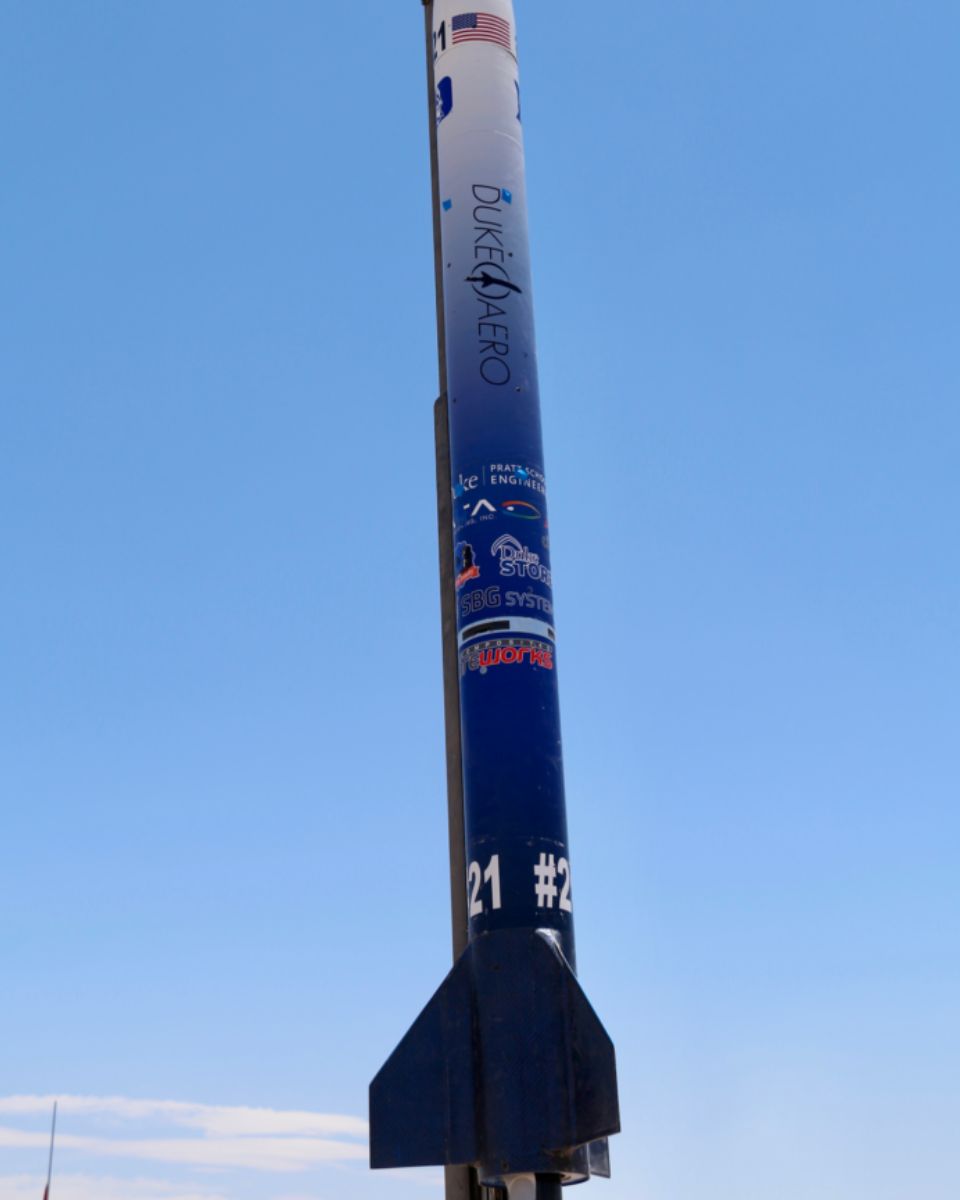
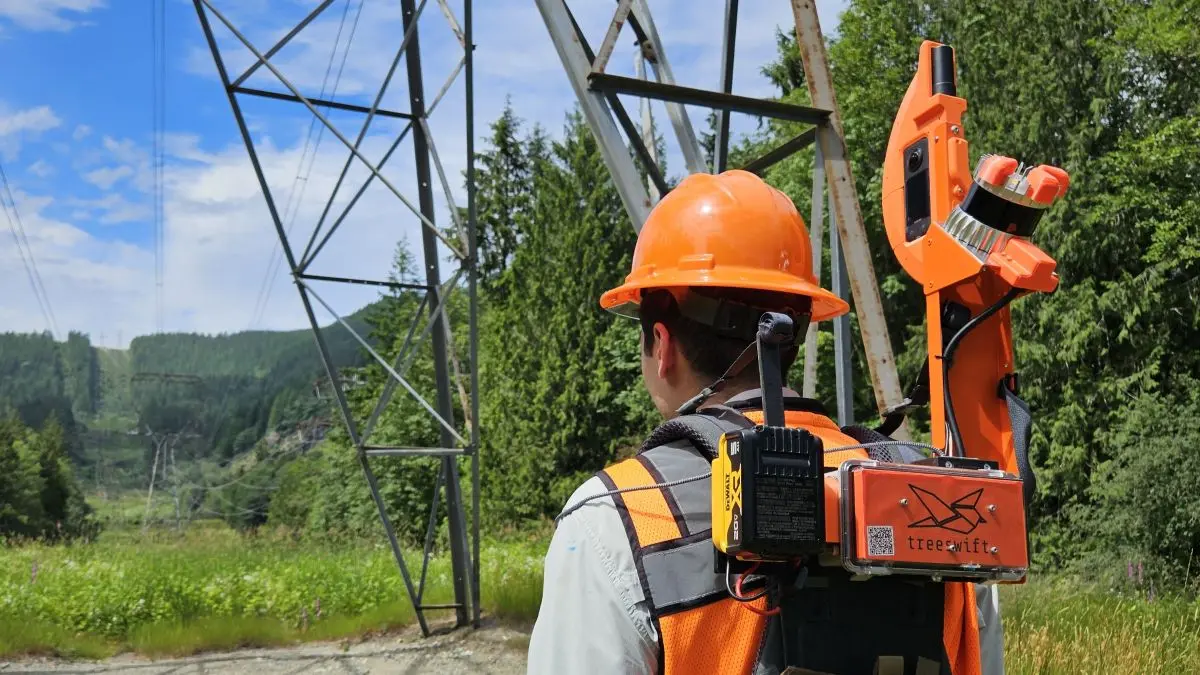
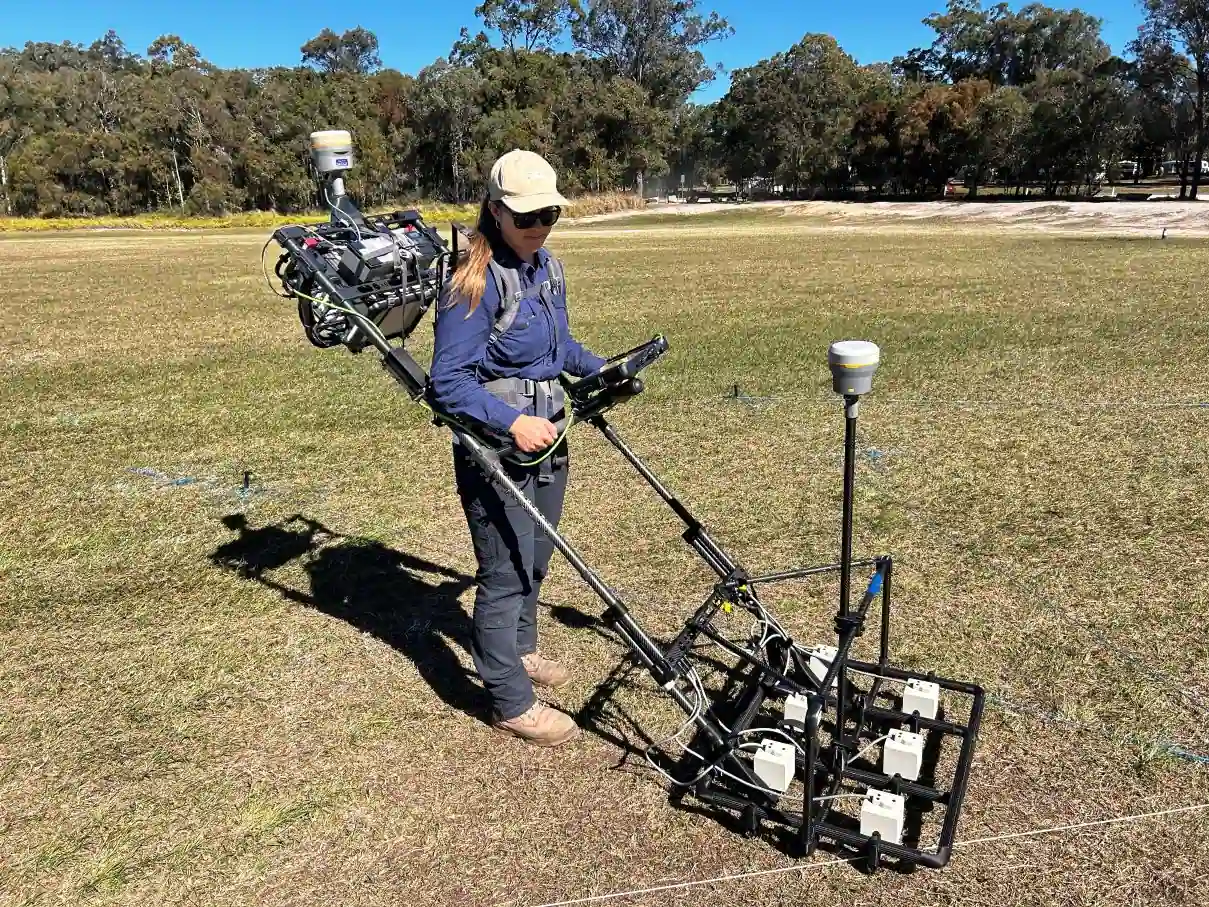
Explore real-world use cases
Discover how our post-processing software, Qinertia GNSS+INS, empowers professionals across diverse industries. From precise georeferencing in UAV mapping to enhanced navigation in challenging environments, our case studies showcase how Qinertia delivers unparalleled accuracy and efficiency.
Learn how our customers leverage Qinertia to overcome challenges, optimize performance, and achieve exceptional results.



They talk about us
We showcase the experiences and testimonials from industry professionals and clients who have leveraged our inertial products in their projects.
Discover how our innovative technology has transformed their operations, enhanced productivity, and delivered reliable results across various applications.



FAQ about post-processing software
Our post-processing software FAQ section provides comprehensive answers to common questions about SBG Systems’ advanced post-processing tools. In this section, you’ll find detailed explanations about the functionality, integration, and benefits of our post-processing solutions. Whether you need help optimizing your workflow, understanding compatibility, or troubleshooting, this FAQ offers valuable insights to help you maximize the performance of our software in your projects.
Explore the answers and boost your operational efficiency with reliable data processing solutions.
Which platforms support Qinertia?
Qinertia Desktop is available as a native application for Windows and Linux operating systems. It is designed for local installation and provides full access to Qinertia’s post-processing and analysis capabilities directly on the user’s workstation.
Qinertia Server is available for specific configurations. This version is designed for centralized or automated processing environments and is typically deployed on dedicated infrastructure. Availability and configuration depend on the intended use case, performance requirements, and licensing model.
Qinertia Cloud is accessible via a web-based API. Rather than a desktop application, it enables users to integrate Qinertia’s processing capabilities into their own systems, workflows, or applications through programmatic access. This option is particularly suited for automated processing, cloud-based infrastructures, and large-scale or remote deployments.
What is GNSS post-processing?
GNSS post-processing, or PPK, is an approach where the raw GNSS data measurements logged on a GNSS receiver are processed after the data acquisition activity. They can be combined with other sources of GNSS measurements to provide the most complete and accurate kinematic trajectory for that GNSS receiver, even in the most challenging environments.
These other sources can be local GNSS base station at or near the data acquisition project, or existing continuously operating reference stations (CORS) typically offered by governmental agencies and/or commercial CORS network providers.
A Post-Processing Kinematic (PPK) software can make use of freely available GNSS satellite orbit and clock information, to help further improve the accuracy. PPK allow for precise determination of a local GNSS base station’s location in an absolute global coordinate reference frame datum, which is used.
PPK software can also support complex transformations between different coordinate reference frames in support of engineering projects.
In other words, it gives access to corrections, enhances the project’s accuracy, and can even repair data losses or errors during the survey or installation after the mission.
What is the difference between RTK and PPK?
Real-Time Kinematic (RTK) is a positioning technique where GNSS corrections are transmitted in near real time, typically using an RTCM format correction stream. However, there can be challenges in ensuring the GNSS corrections, specifically their completeness, availability, coverage, and compatibility.
The major advantage of PPK over RTK post processing is that the data processing activities can be optimized during post-processing, including forward and backward processing, whereas in real-time processing, any interruption or incompatibility in the corrections and their transmission will lead to lower accuracy positioning.
A first key advantage of GNSS post-processing (PPK) vs. real time (RTK) is that the system used on the field does not need to have a datalink/radio to feed the RTCM corrections coming from the CORS into the INS/GNSS system.
The main limitation to post processing adoption is the requirement of the final application to act on the environment. On the other hand, if your application can withstand the additional processing time needed to produce an optimized trajectory, it will greatly improve the data quality for all your deliverables.
How does forward and backward processing works?
Let’s imagine we have a 60-second GNSS outage in the middle of our survey. The position error in forward processing grows fast (rate depends on the IMU specifications and other parameters) and reaches its maximum at the end of the outage. It then quickly recovers. In post processing, we pretend that time flows backward and do the processing in anti-chronological order as the physical equations remains valid. In this backward processing, the error would be maximum at the actual beginning of the GNSS outage in a very symmetrical way to the natural forward processing.
Merging those two computation results in a maximum error around the middle of the outage, with a much lower magnitude than the forward only or backward only solutions.This will especially improve GNSS+INS solutions as allowed by SBG Systems products, but GNSS only processing will also benefit from this workflow.
As already stated, this improvement can only be done via post-processing, as you need all the data to be available from start to the end, hence delaying its use to the end of the survey.
What is georeferencing in aerial surveying?
Georeferencing is the process of aligning geographic data (such as maps, satellite images, or aerial photography) to a known coordinate system so that it can be accurately placed on the Earth’s surface.
This allows the data to be integrated with other spatial information, enabling precise location-based analysis and mapping.
In the context of surveying, georeferencing is essential for ensuring that the data collected by tools like LiDAR, cameras, or sensors on drones is accurately mapped to real-world coordinates.
By assigning latitude, longitude, and elevation to each data point, georeferencing ensures that the captured data reflects the exact location and orientation on the Earth, which is crucial for applications such as geospatial mapping, environmental monitoring, and construction planning.
Georeferencing typically involves using control points with known coordinates, often obtained through GNSS or ground surveying, to align the captured data with the coordinate system.
This process is vital for creating accurate, reliable, and usable spatial datasets.